Know the car before you buy it.
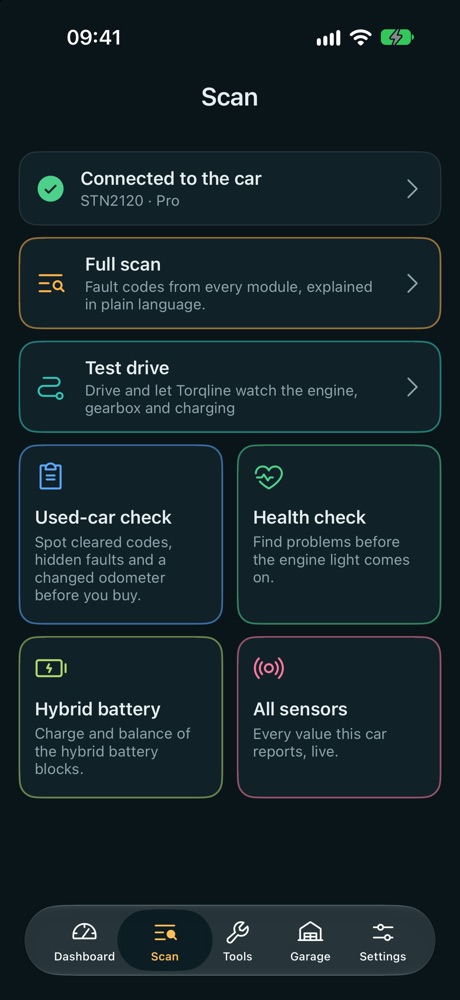
Plug a small OBD2 adapter into the car you're looking at. In a few minutes your iPhone shows what the seller may not tell you: hidden and recently cleared fault codes, sensors that don't add up, and how the car behaves on a test drive.
Coming soon to the App Store for iPhone and iPadA viewing in three steps
Everything a buyer needs, in the order you'd do it on the seller's driveway. Each check is saved in your garage and can be shared as a PDF.
-
 1
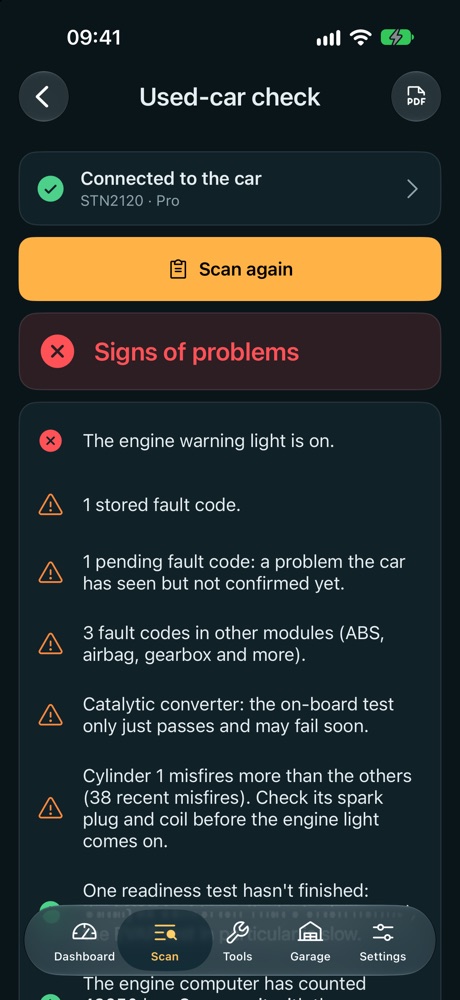
Used-car check
Reads every module for fault codes, including the ones the seller can't clear. Shows whether codes were cleared recently, which readiness tests haven't run since, and whether the odometer the engine computer stores matches the dashboard.
-
 2
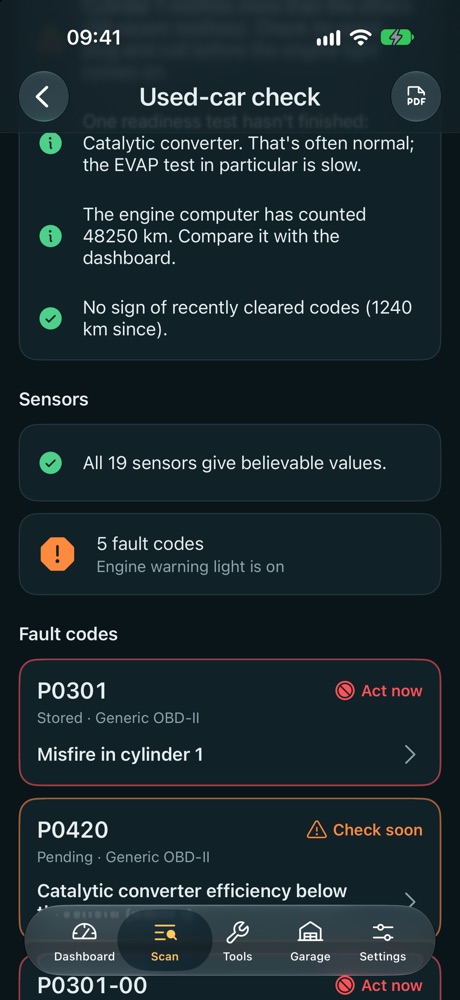
Every sensor checked
Each sensor the car supports is read for a few seconds and judged: disconnected or shorted sensors, sensors that don't move, sensors that disagree with each other, a rough idle, weak charging.
-
 3
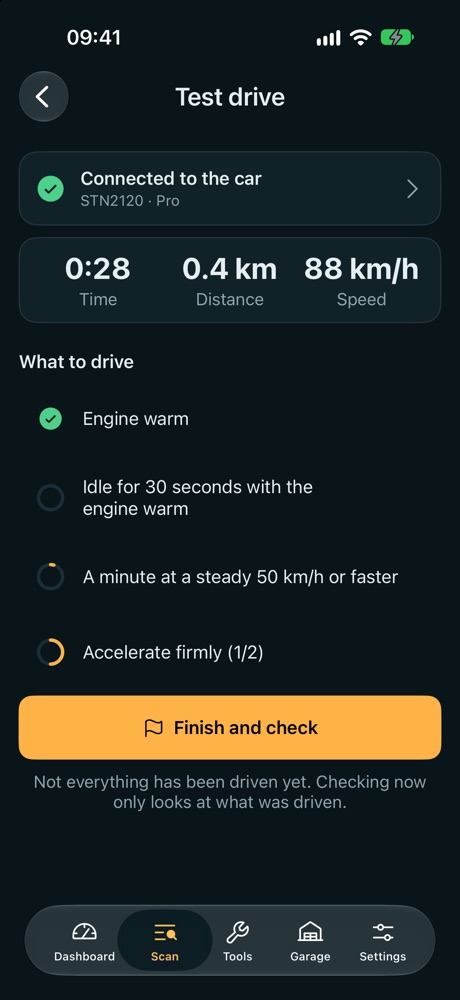
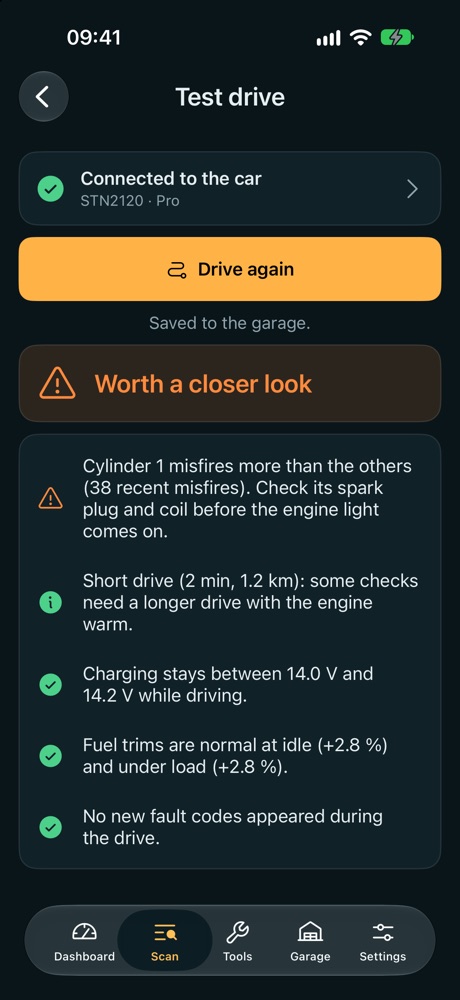
Guided test drive
A ten-minute drive with a checklist: warm up, idle, a steady stretch and two firm accelerations. Torqline watches for a slipping gearbox or clutch, a thermostat stuck open, weak charging under load, lean or rich running, lazy oxygen sensors and new fault codes.
What else it does
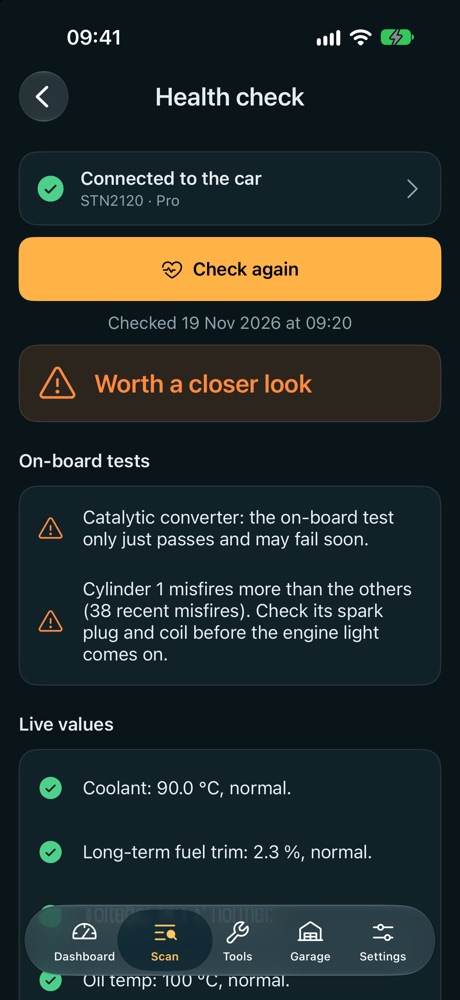
Health check
Early warnings before the engine light comes on: the car's own on-board tests, misfires per cylinder, and what changed since the last check.
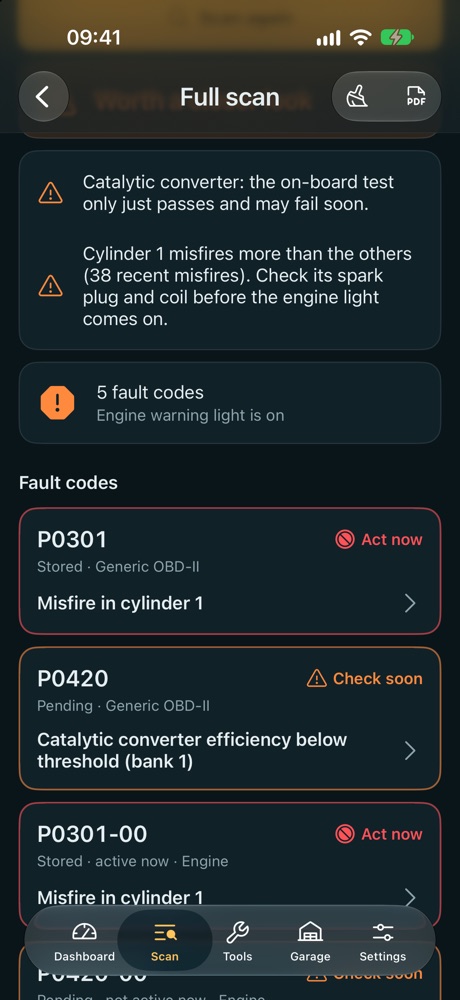
Fault codes in plain language
Every code explained in words, with how urgent it is and what to check first.
Live dashboards
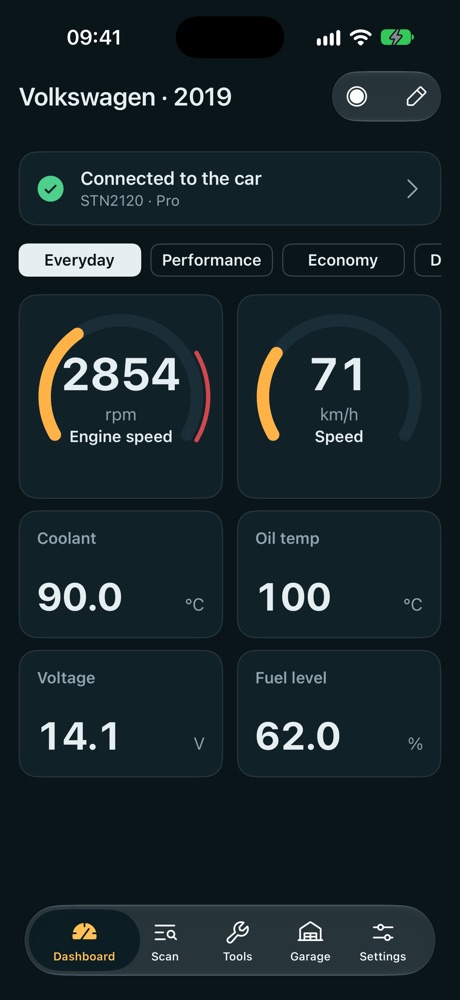
Dials, numbers and graphs for revs, temperatures, boost and more, with your own warning limits.
Drive logs
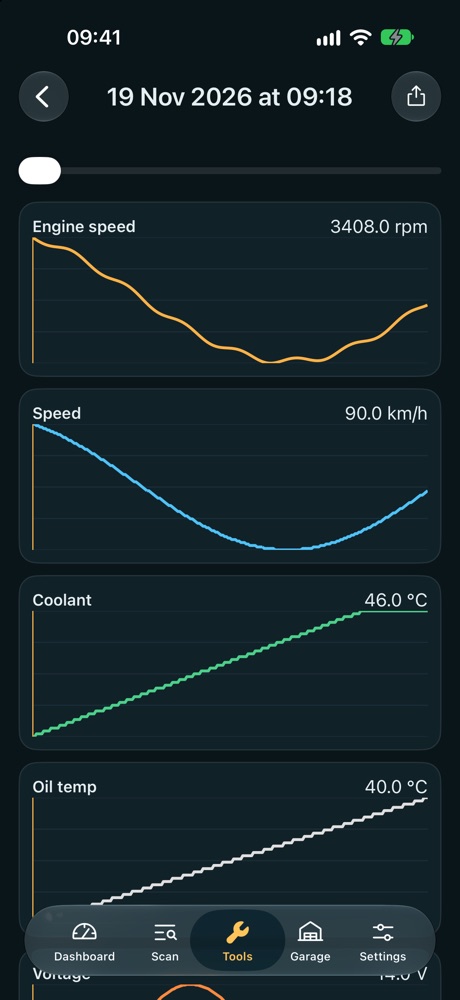
Record a drive, replay it later and export it as CSV.
Every module, for VW Group and Toyota
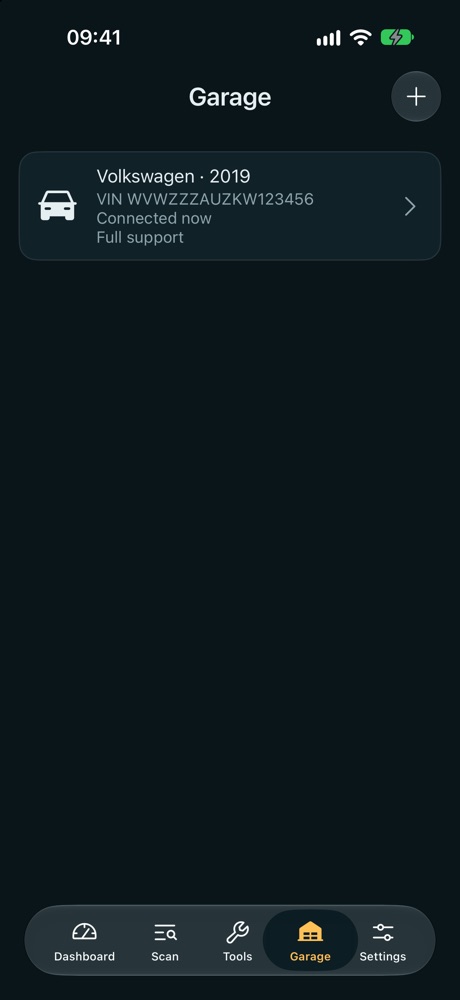
Engine, gearbox, ABS, airbag, body and more: fault codes and identification for each one.
Expert module editor
For experienced users: change values with an automatic backup and one-tap restore.
A look inside
Which adapter?
Torqline needs a small OBD2 adapter that plugs in under the dashboard. Apple only lets iPhone apps use Bluetooth Low Energy and Wi-Fi adapters. Torqline checks what your adapter can do when it connects and only offers what works.
| Adapter | Connection | What works |
|---|---|---|
| OBDLink CX | Bluetooth LE | Best pick Everything: all checks, test drive, every module, and changing settings with backup. |
| OBDLink MX+ | Bluetooth | Everything, like the CX. Also works with Android and Windows. |
| vLinker MC+ | Bluetooth LE | All checks, test drive and live data. Module scans usually work; changing settings doesn't. |
| Vgate iCar Pro BLE 4.0 | Bluetooth LE | Budget All checks, test drive and live data. Module scans usually work; changing settings doesn't. |
| Veepeak OBDCheck BLE+ | Bluetooth LE | Budget All checks, test drive and live data. |
| Adapter type | On iPhone |
|---|---|
| Bluetooth Low Energy | Works |
| Wi-Fi ELM327 | Works, but not together with wireless CarPlay |
| Classic Bluetooth (most cheap ELM327 "Bluetooth" adapters) | Doesn't work on any iPhone app |
| USB cable | Doesn't work |
Buying an adapter just for viewings? A budget Bluetooth LE adapter covers the used-car check and the test drive. No car nearby? Open the app and choose Add adapter, then Demo adapter to try everything with a simulated car.
Help
Questions or a problem? Email [email protected]. Include your car (make, model, year) and adapter, and I'll get back to you.
Read the privacy policy. Short version: Torqline collects nothing.
Safety first. On a test drive, let a passenger hold the phone or put it in a holder, and don't touch it while driving. Only change settings or run service functions with the car parked.
A check, not a guarantee. Torqline reads what the car's computers report. It doesn't replace an inspection by a mechanic for rust, bodywork, brakes or tyres.